PELICAN
A pelican-inspired autonomous robot that collects waste using LiDAR-based perception and YOLO camera detection.
Why We Built This
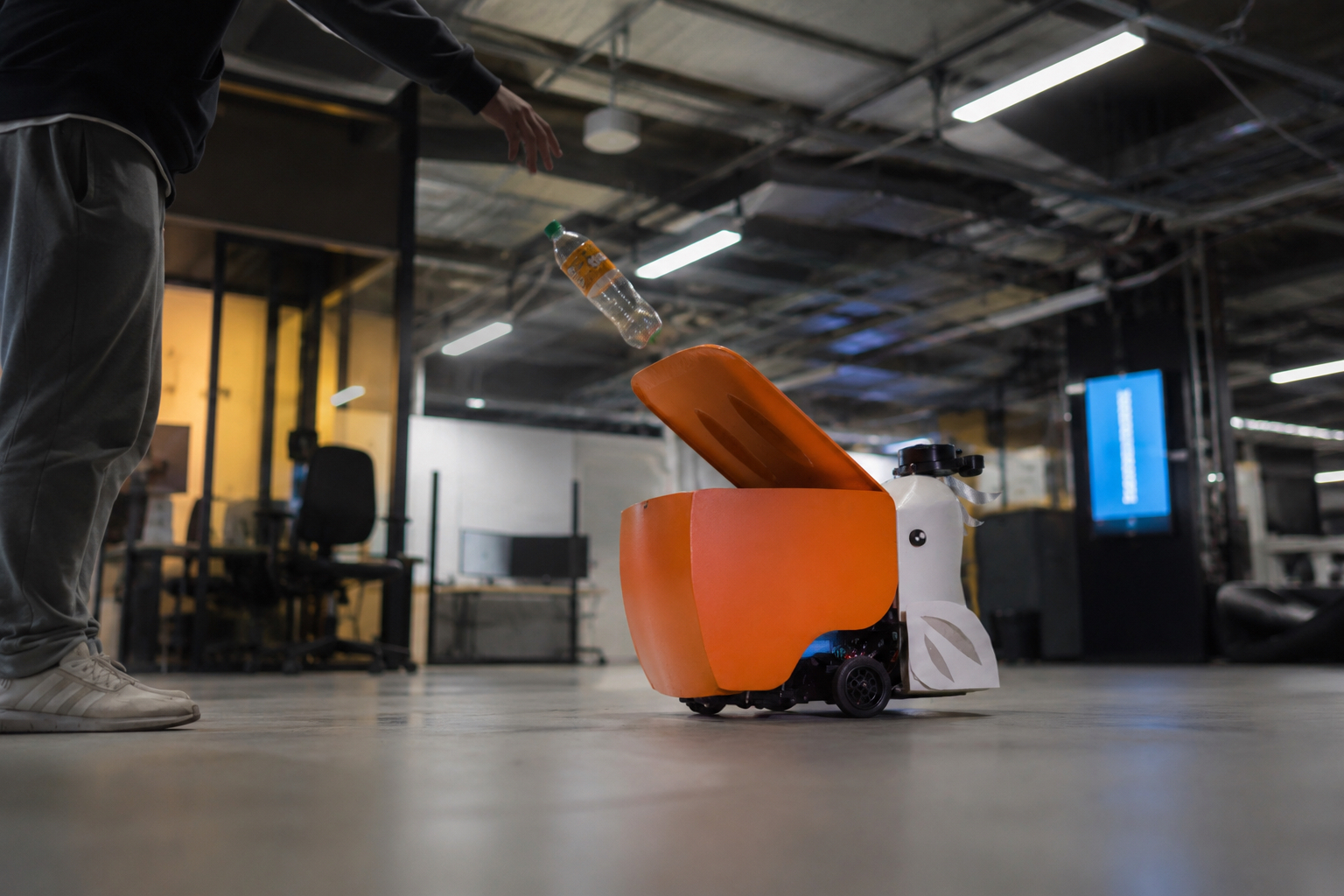
Most cleaning robots wait for trash to be placed in them, or need someone to drive them to it. PELICAN flips that around — instead of waiting, it wanders indoor spaces on its own, watches for litter with an onboard camera, and comes to the trash instead of the other way around.
When the camera spots something — a bottle, a cup, a can — the robot switches out of its default wandering behavior, tracks the object, and moves to align it in the center of its view.
Once it's in position, it opens its lid — like a pelican's beak — to receive the trash. That's where the name comes from.
System Architecture
Camera + LiDAR
- • RGB/USB camera + YOLOv8 — detects trash in real time
- • 360° LiDAR (LDS-01) — maps the space for SLAM + obstacle avoidance
- • 5 Hz update rate, 0.12–3.5 m range
Split across two nodes
- • Raspberry Pi 3B+ — hardware drivers, motor control, LiDAR
- • Desktop PC — YOLOv8 inference + tracking logic
- • Coordinated over a shared ROS Domain ID
PID tracking + lid actuation
- • Custom PID node — angular + linear alignment
- • Publishes to /cmd_vel to approach the target
- • Dynamixel lid motor triggers once aligned
- TurtleBot3 Waffle base
- LDS-01 360° LiDAR
- RGB/USB camera
- Dynamixel motors ×2 (wheels) + ×1 (lid)
- OpenCR microcontroller
- Raspberry Pi 3B+
Detection runs off-robot: the desktop handles YOLOv8 inference and sends tracking commands back to the Pi over the network.
Design Process
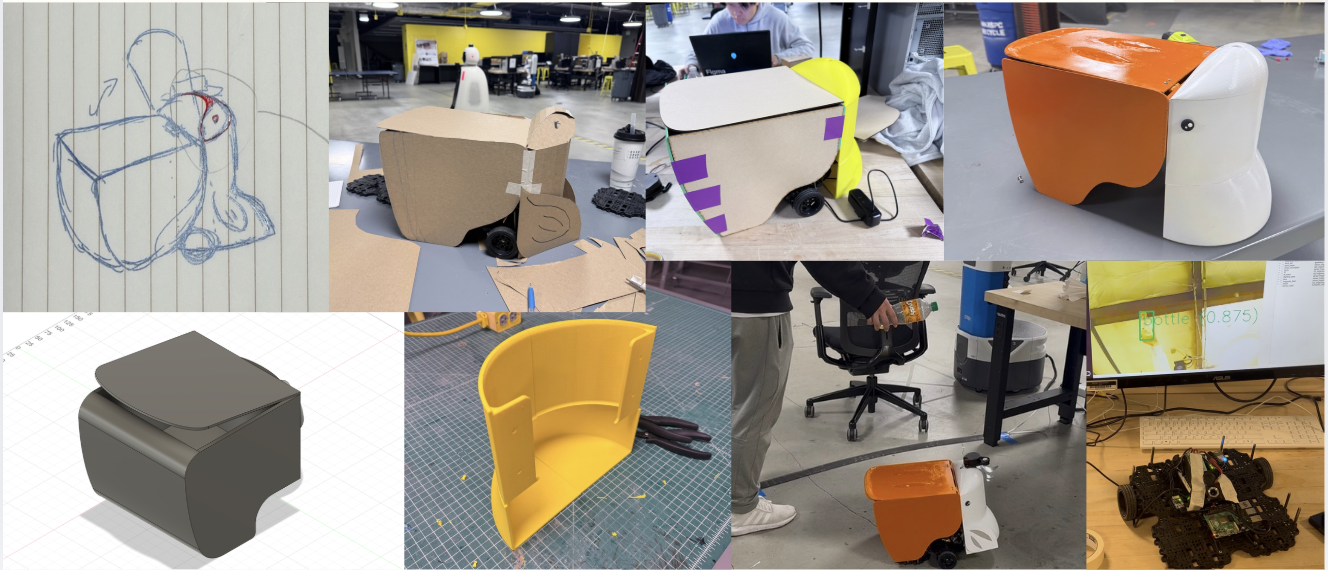
Sketch → CAD model → cardboard mockup → 3D-printed shell → painted final assembly — then straight to live testing with a bottle and the detection feed running.
The Pipeline
Wander
Explores at a steady 0.12 m/s, using LiDAR to avoid obstacles while the camera scans for trash.
Track
Once YOLO detects an object, PID control steers toward it — up to 0.25 m/s forward, 0.8 rad/s turning, aligning within a 20px deadband.
Aim
Fine positioning once the robot is close and aligned, right before the lid actuates.
Deposit
The lid motor opens (45°–145°) to receive the item, then the robot goes back to wandering.
If something's within 0.5 m, PELICAN backs up and turns regardless of its current state — and if nothing's detected for 7 seconds while tracking, it gives up and returns to wandering.
Wandering and obstacle avoidance
YOLO detection and tracking
Detection, tracking, and disposal all run in one continuous loop — no human steps in unless something goes wrong.
Challenges
Remapping visual space to motor space.
Our camera sits at a 45-degree upward tilt, breaking the standard assumption that object position in frame maps directly to heading and distance. We built a custom correction model to translate what the camera saw into the correct motor response.
Tuning PID against a live camera feed.
Detection noise and lighting changes injected error into tracking, wrong gains meant the robot either oscillated around the target or drifted too slowly to catch it.
Balancing search and safety.
The robot had to wander for trash, interrupt itself for obstacles, and still catch a valid detection mid-interrupt, prioritizing either one too heavily broke the other.
DDS discovery across two machines.
Detection runs off-robot on a desktop PC, so ROS_DOMAIN_ID had to match exactly between the Pi and desktop. Discovery state doesn't persist across reboots, so a mismatch meant nodes ran clean with zero errors, just no data flowing.
What's Next
Increase capacity. Enable the system to carry and manage a larger volume of waste.
Add audio feedback. Sound or voice cues to make the robot's behavior clearer to people nearby.
Extend perception range. Detect trash beyond the current camera view with wide-angle lenses or a multi-camera setup.
Improve detection accuracy. Expand training data to recognize more object types more reliably.
Speed up response time. Optimize navigation and control for quicker movement and less latency.